
Moodle has a chat option, where you can interact with other users who is registered in the LMS.
Chat option helps the learner to ask queries, doubt and provides a platform for internal communication within the Moodle LMS.
In this blog, I will be showing you on how to use Chat activity in Moodle :
Step 1: In Dashboard, click on “Messages” option which is located on top left corner.

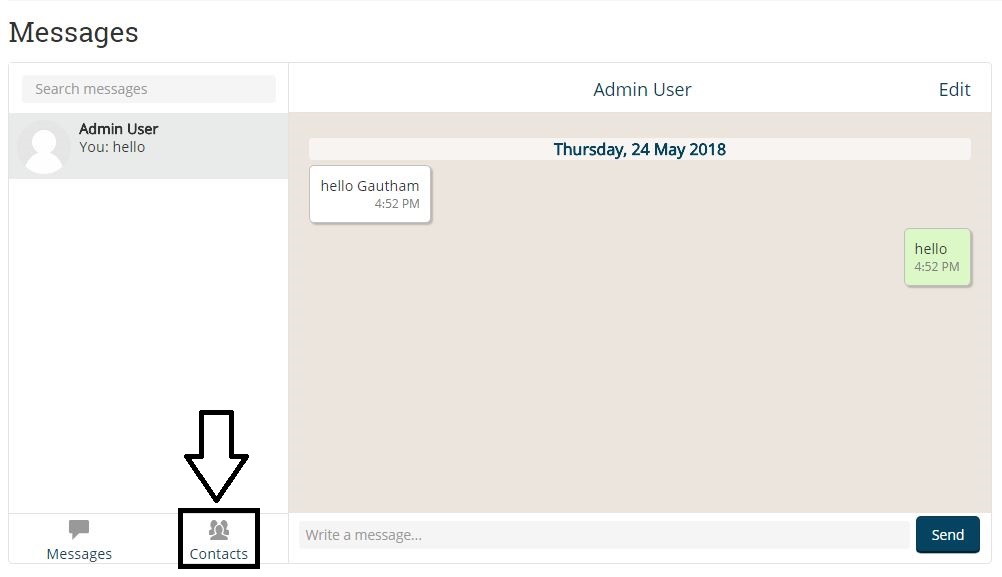
Step 2 : Messages menu will open, here you can see two window, one is chat window and another is the user window. Click on “Contacts” option in order to find the person with whom you want to chat with.
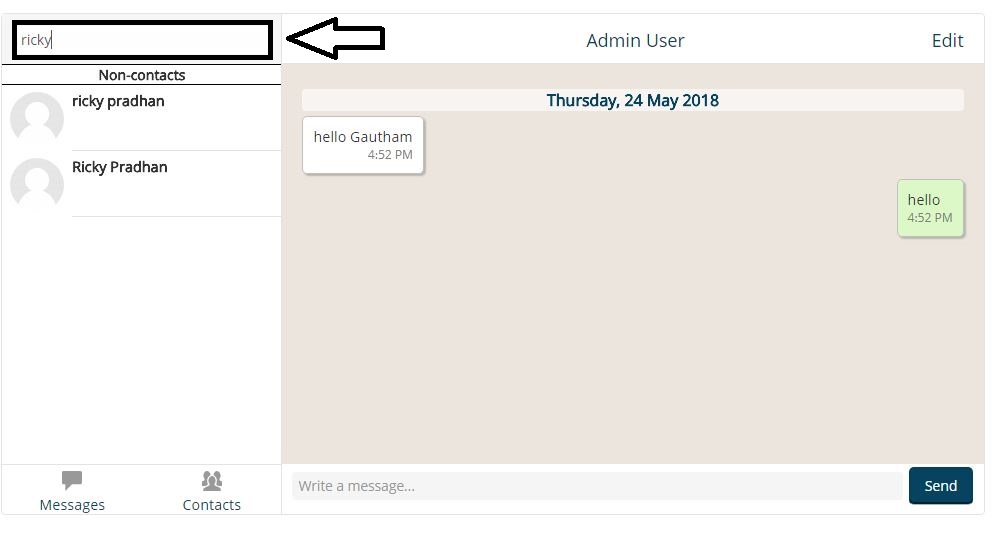
Step 3 : In Contacts option, in the search bar, search for the name of the person with whom you want to chat with.
Step 4 : After you have selected the user, the screen will appear like as shown below. Enter the text in “Write a message” option and click on “Send” button in order to send the message.

Step 5 : If you want to delete the messages, click on “Edit” option and select the messages which you want to delete.

Step 6 : Once you have selected the messages, click on “Delete selected messages” option. The selected messages will be deleted.

By following the above steps you can easily interact with another user by using chat option in Moodle.
If you have any questions? Feel free to ask us at hello@playxlpro.com.
