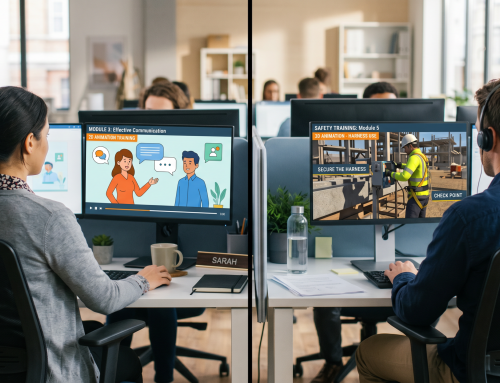
Animated e-learning videos have become a powerful tool for corporate training. They help organizations simplify complex topics, improve learner engagement, and deliver consistent training experiences across diverse workforces. Whether used for employee onboarding, compliance training, cybersecurity awareness, product training, or leadership development, animated videos can transform traditional learning into an engaging and memorable experience.
However, creating an effective animated e-learning video involves much more than designing attractive visuals and adding voiceovers. Behind every successful training video is a structured development process that combines instructional design, storytelling, visual communication, and technical expertise.
Understanding this process helps Learning and Development (L&D) managers make informed decisions, set realistic expectations, and collaborate effectively with e-learning development partners.
In this article, we’ll walk through the complete journey of creating an animated e-learning video—from script to screen.
Why Process Matters in Animated E-Learning Development
Many organizations assume that developing an animated training video is simply a matter of creating visuals around existing content.
In reality, successful learning videos require careful planning and instructional design.
A well-defined development process helps ensure that the final product:
- Supports learning objectives
- Engages employees
- Improves knowledge retention
- Encourages workplace application
- Delivers measurable business outcomes
Without a structured process, even visually impressive videos may fail to achieve meaningful learning results.
Stage 1: Discovery and Training Needs Analysis
Every successful animated e-learning project begins with understanding the training requirement.
This stage focuses on identifying:
- Business objectives
- Learning objectives
- Target audience
- Existing knowledge levels
- Desired behavioral outcomes
Questions commonly addressed include:
- Why is this training needed?
- What problem are we trying to solve?
- Who will complete the training?
- What should learners know or do after training?
- How will success be measured?
For example:
A cybersecurity training project may aim to reduce phishing-related incidents by helping employees identify suspicious emails.
Clearly defining objectives at the beginning ensures that the project remains focused throughout development.
Stage 2: Content Gathering and Subject Matter Expert Consultation
Once learning objectives are established, the next step is collecting source material.
This may include:
- Policies and procedures
- Training manuals
- Compliance regulations
- Existing presentations
- Technical documentation
- Internal guidelines
Subject Matter Experts (SMEs) play a critical role during this stage.
SMEs help:
- Validate content accuracy
- Clarify complex concepts
- Provide real-world examples
- Identify critical learning points
The goal is to gather the information necessary to create meaningful learning experiences without overwhelming learners with excessive detail.
Stage 3: Instructional Design
This is where training content begins to take shape.
Instructional designers transform raw information into a structured learning experience.
Rather than simply presenting facts, instructional design focuses on how people learn.
Key considerations include:
Learning Structure
Content is organized into logical sections and learning paths.
Learner Engagement
Strategies are identified to maintain learner attention.
Knowledge Retention
Information is presented in ways that support long-term memory.
Workplace Application
Learning activities are aligned with real-world job responsibilities.
At this stage, decisions are made regarding:
- Storytelling approaches
- Scenarios
- Interactions
- Assessments
- Learning activities
Effective instructional design is often the most important factor influencing training success.
Stage 4: Script Writing
The script serves as the foundation for the entire video.
Every visual, animation, narration, and interaction is based on the script.
A well-written training script should be:
- Clear
- Concise
- Conversational
- Learner-focused
- Easy to understand
Rather than sounding like a policy document, the script should feel natural and engaging.
Example
Instead of:
“Employees must comply with organizational cybersecurity protocols.”
A stronger training script might say:
“Imagine receiving an email that appears to come from your manager asking for confidential information. What would you do?”
This approach immediately engages learners and creates context.
The script is typically reviewed and approved by stakeholders before moving to visual development.
Stage 5: Storyboarding
A storyboard acts as a visual blueprint for the video.
It maps out:
- Screen-by-screen visuals
- Narration
- Character actions
- Animations
- Transitions
- On-screen text
Storyboarding helps stakeholders visualize the learning experience before production begins.
A storyboard may include:
| Screen | Visual | Narration |
|---|---|---|
| 1 | Employee receives suspicious email | “Meet Rahul. He has just received an urgent email request…” |
| 2 | Email zooms into view | “At first glance, everything seems normal…” |
| 3 | Red flags highlighted | “But several warning signs indicate a phishing attempt…” |
This stage helps identify improvements before animation production starts.
Stage 6: Visual Design and Style Development
Once the storyboard is approved, designers begin creating the visual assets.
This stage establishes the overall visual identity of the training video.
Elements may include:
Characters
Custom characters representing employees, managers, customers, or other stakeholders.
Backgrounds
Workplace environments that reflect real-world settings.
Icons and Graphics
Visual elements that support understanding.
Branding
Company colors, logos, and visual guidelines.
The objective is to create visuals that are attractive, relevant, and aligned with organizational branding.
Stage 7: Voiceover Recording
Professional narration adds personality and clarity to the learning experience.
Voiceovers help guide learners through the content while maintaining engagement.
Key considerations include:
- Voice quality
- Tone
- Pace
- Clarity
- Audience suitability
For multinational organizations, voiceovers may be recorded in multiple languages to support diverse employee populations.
Professional audio production significantly enhances the perceived quality of training content.
Stage 8: Animation Production
This is the stage where static designs come to life.
Animators combine:
- Visual assets
- Character movements
- Motion graphics
- Transitions
- Effects
- Narration
The goal is to create smooth, engaging visual storytelling that reinforces learning objectives.
Effective animation should:
- Support understanding
- Guide attention
- Simplify concepts
- Enhance engagement
Animation should never be used simply for decoration.
Every movement should contribute to the learning experience.
Stage 9: Adding Interactivity (If Required)
Many animated e-learning videos are integrated into interactive learning modules.
Interactive elements may include:
- Knowledge checks
- Branching scenarios
- Click-and-reveal interactions
- Reflection questions
- Decision-making activities
For example:
A compliance training module may pause and ask learners how they would respond to a workplace situation.
Interactive learning encourages active participation and improves retention.
Stage 10: Quality Assurance and Testing
Before deployment, the course undergoes rigorous quality assurance testing.
This stage verifies:
Content Accuracy
Ensures information is correct and up to date.
Functional Testing
Checks animations, interactions, and navigation.
Audio Quality
Verifies narration clarity and synchronization.
Device Compatibility
Tests desktop, tablet, and mobile performance.
LMS Compatibility
Ensures proper functionality within Learning Management Systems.
Thorough testing helps eliminate technical issues before launch.
Stage 11: SCORM Packaging and LMS Integration
Most corporate e-learning programs are delivered through Learning Management Systems (LMSs).
The completed course is typically packaged as:
- SCORM 1.2
- SCORM 2004
- xAPI-compatible content
This enables organizations to:
- Track completion
- Monitor progress
- Record assessment scores
- Generate compliance reports
Proper LMS integration ensures smooth deployment and reporting.
Stage 12: Launch and Learner Rollout
After testing and integration, the training is deployed to employees.
Organizations should support rollout with:
- Internal communications
- Manager endorsements
- Training schedules
- Technical support resources
A successful launch strategy improves participation and completion rates.
Stage 13: Evaluation and Continuous Improvement
The development process does not end after launch.
Learning effectiveness should be measured using:
LMS Analytics
- Completion rates
- Assessment scores
- Time spent learning
Learner Feedback
- Satisfaction surveys
- Comments
- Suggestions
Business Metrics
- Compliance improvements
- Incident reductions
- Performance improvements
Insights gathered from evaluation help refine future training initiatives.
Common Challenges During Development
Organizations frequently encounter challenges such as:
Content Overload
Trying to include too much information in a single video.
Unclear Objectives
Lack of defined learning outcomes.
Excessive Review Cycles
Too many stakeholders creating conflicting feedback.
Weak Storytelling
Overly instructional content with little learner engagement.
Unrealistic Timelines
Underestimating development complexity.
Following a structured process helps minimize these risks.
Best Practices for Successful Animated E-Learning Development
Organizations that achieve the best results typically:
- Start with clear learning objectives.
- Focus on learner needs.
- Use realistic workplace scenarios.
- Prioritize instructional design.
- Keep content concise.
- Invest in professional voiceovers.
- Include interactivity where appropriate.
- Test thoroughly before launch.
- Measure effectiveness after deployment.
These practices consistently improve learning outcomes and training ROI.
Conclusion
Developing effective animated e-learning videos is a collaborative process that combines instructional design, storytelling, visual communication, and technology. From the initial discovery phase to final deployment, every stage plays a critical role in creating learning experiences that engage employees and drive meaningful results.
Organizations that follow a structured “script-to-screen” approach are far more likely to produce training content that improves knowledge retention, supports workplace performance, and delivers measurable business value.
By understanding the development process and prioritizing learning objectives over visual effects alone, L&D teams can create animated e-learning videos that not only capture attention but also inspire learning and behavioral change.